Connection lost
Trying to reconnect…
Server didn't respond
Recovering…

The audit trail & SIEM export
Everything that matters leaves a record: every dispatch and its outcome, every approval decision, every policy edit, every credential minted or revoked, every sign-in — even the failed ones. This page covers reading the trail in the dashboard, streaming it to your SIEM, and how the runner-side journal complements it.
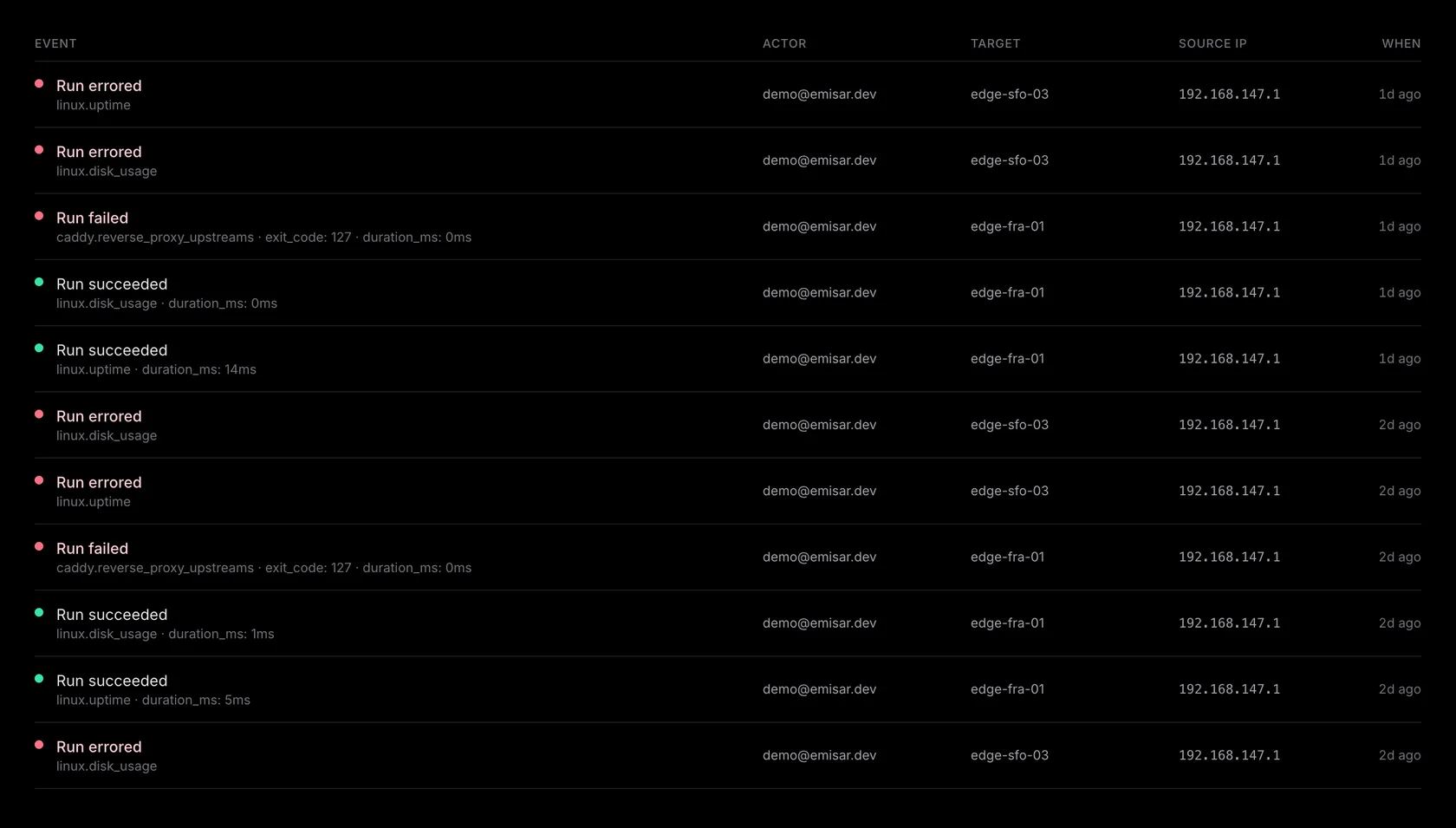
What gets recorded
Events are named
domain.action
— action_run.denied
(a dispatch policy rejected, with the reason), approval.approved, policy.updated, membership.role_changed, user.sessions_revoked, …
about fifty types across runs, approvals, policies, packs, runners, credentials, team,
and account changes. Each carries the actor (operator, API key, or runner), the
affected entity, a structured payload (a policy edit records its exact diff), and an
account-scoped timestamp. Audit rows are written in the
same database transaction
as the change they
describe — an action that committed has its audit row, always.
Reading it in the dashboard
Audit in the sidebar: filter by event type or actor kind; every
row expands to the full payload, and references resolve to live labels (the runner's
name, the user's email) so you're not cross-referencing UUIDs. LLM-driven runs carry
their attribution — which client, which key, which session — plus the required reason, so "what did the
agent do last night, and why" is a filter, not an investigation.
Exporting the trail
Two ways out: the Export CSV button on the Audit log downloads exactly the view you've filtered to, and the export endpoint serves NDJSON — one event per line, cursor-paginated, forward-only. Mint a read-only audit-export token from the Audit page; that token can read events and nothing else — it's a separate credential kind from an MCP key, so it can never list runners or execute an action. Only available on Team & Enterprise.
# first pull — everything since a timestamp
$ curl -s "https://emisar.dev/api/audit?since=2026-06-01T00:00:00Z&limit=500" \
    -H "Authorization: Bearer $AUDIT_KEY"

# follow-ups — pass the cursor from the previous response
$ curl -s "https://emisar.dev/api/audit?cursor=$NEXT" \
    -H "Authorization: Bearer $AUDIT_KEY"
-
—
The next cursor arrives both as an RFC 5988
Link: <…>; rel="next"header and a plainX-Next-Cursorheader — Splunk-style collectors follow the Link, Datadog-style ones read the X-header. No headers on the last page means you're caught up; poll again later with the same cursor. -
—
Pages are capped at 1,000 events; ordering is stable
(
occurred_at, then id), so a poller never misses or double-counts an event. - — Retention follows your plan — 7 days on Free, 90 on Team, 365 on Enterprise. Ship to your SIEM ahead of the window and retention becomes your SIEM's policy, not ours. Each event's horizon is fixed when it's written, so a plan downgrade only shortens the window for new events — it never retroactively deletes history — and both the plan change and every retention prune are themselves recorded in the log.
The runner-side journal
Independently of the cloud, every runner writes a JSONL line per action attempt to
/var/log/emisar/events.jsonl
— argv hashes, exit codes, redaction counts, output digests — each line chained to the
previous by SHA-256.
emisar audit verify --all
proves the chain (including rotated files). The cloud is the searchable system of
record; the journal is the host-side forensics copy that doesn't depend on us — cutting
or editing a line breaks the chain detectably, though a root attacker can of course
delete the whole file. Ship it with your normal log pipeline if you want both records
off-host.
user.mfa_reset_by_admin
on an account you didn't expect,
policy.updated
(the rules
changed), pack-trust transitions (new bytes were approved), and on the runner side
validation_failed
/ action_blocked_by_admission
— an agent repeatedly asking for things it can't have is the most interesting signal
you'll get.