Connection lost
Trying to reconnect…
Server didn't respond
Recovering…

Teams, roles & access
Who can see what, who can run what, who can approve what — and how to narrow any of it down to specific runners. emisar's access model has three dials: the member's role, optional per-member runner scopes, and the scopes on each API key an LLM connects with.
Roles
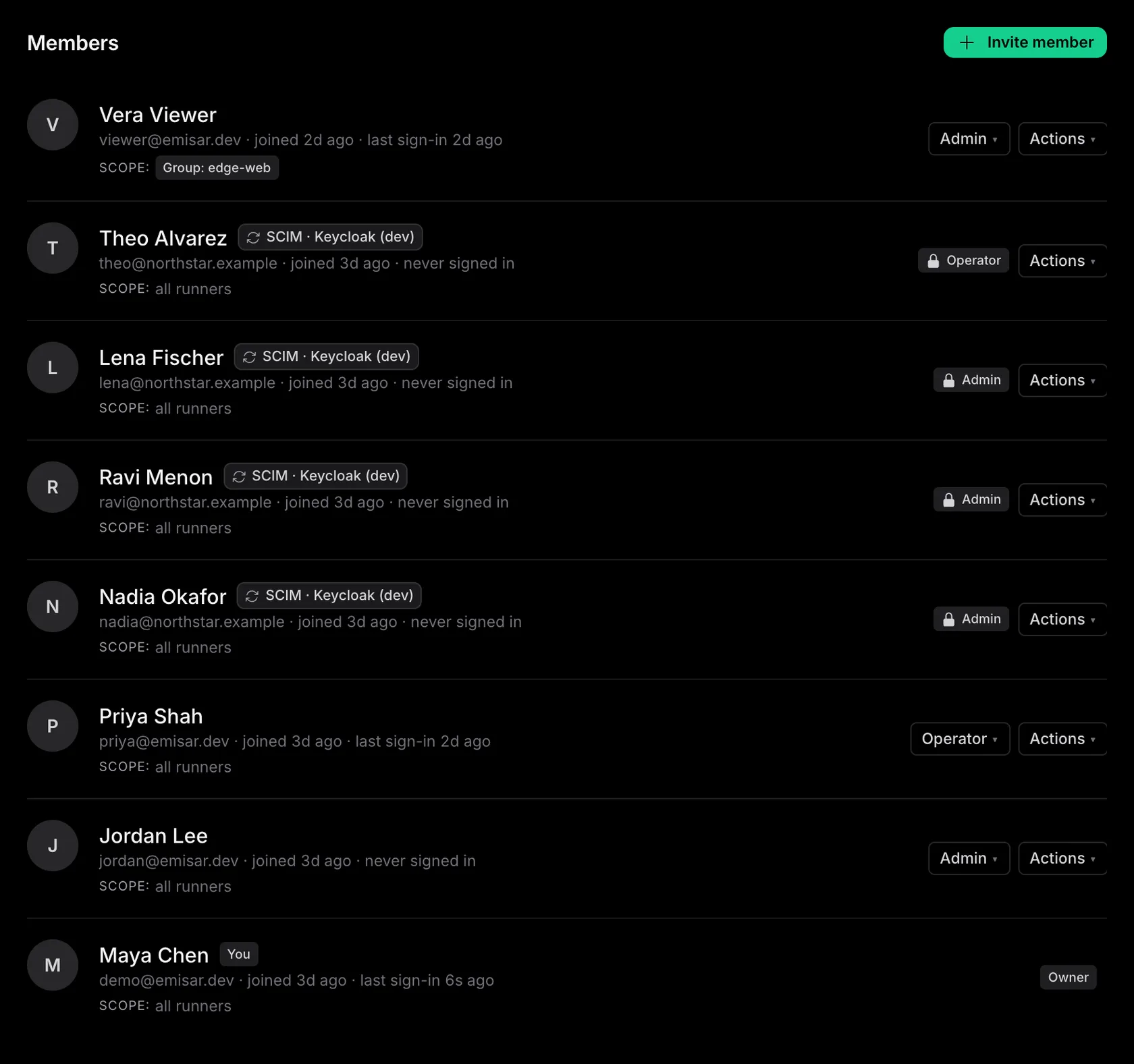
Four ordered roles plus one specialist seat. Authorization is permission-based under the hood, so this table is the contract:
| Role | Can do |
|---|---|
| Owner | Everything an admin can, plus billing and the account itself. Only owners manage other owners, and the last owner can't be removed or demoted — accounts can't be orphaned. |
| Admin | Manage the team (invite, change roles, suspend), policies, runbooks, runner fleet, pack trust, API keys, and runner scopes. Plus everything below. |
| Billing manager | The finance seat: manage the subscription, payment method, and invoices — and nothing else. No team, runner, policy, or action access, so procurement can own billing without touching infrastructure. |
| Operator | Day-to-day driving: dispatch actions, decide approvals, view runners, runs, runbooks, policies, and audit. No team, policy, or trust management. |
| Viewer | Read-only: see runners, runs, approvals, runbooks, policies, and audit. Can't dispatch or decide anything. |
Inviting your team
Team → Invite: enter an email, pick the role, send. The invite link is a one-time token (hashed at rest like every credential here); accepting it creates the membership at the role you chose. Granting the owner role requires an owner — admins invite up to their own level. Members can be suspended (sessions killed immediately, sign-in blocked) and unsuspended without losing their history. Only available on Team & Enterprise.
Per-member runner scopes
Roles answer what someone can do; runner scopes answer where. By default a member sees every runner in the account. Add scopes on the member's team page and they're narrowed to the union of what you list:
-
—
Group scope
—
group: cassandra-prod. Follows the group: new runners joining it are automatically in scope. - — Runner scope — one specific host, for the contractor who should touch exactly one box.
Scoping is treated as existence-hiding, not just
permission-denying: out-of-scope runners don't appear in lists, their detail pages 404,
and their actions vanish from the member's dispatch surface. The same scoping applies to
API keys, so "the DBA team's agent only reaches cassandra-*" is one key
setting, not a policy convention. Scope changes are audited.
MFA
TOTP (any standard authenticator app) with one-time recovery codes — codes are shown once, stored hashed, and each works exactly once. Replayed TOTP codes are rejected. Beyond self-service, an owner or admin can flip Require MFA on the account: members without MFA are routed to enrollment before they can touch anything else. On Team or Enterprise, a single sign-on session can satisfy that requirement when your IdP enforces MFA.
Sessions & credentials
- — Profile shows every active session with device info; sign out any of them — or everywhere except the current one — in a click. Suspension and admin-forced sign-out disconnect live dashboards immediately, not at next page load.
- — Magic-link sign-in uses single-use, expiring, hashed email tokens — a browser-held nonce plus an emailed 6-character code, so an intercepted email can't sign in on its own. Sign-in is rate-limited per IP and per email, and failed attempts land in the audit log on your account, so probing is visible to admins.
- — An API key is identity + attribution — what it may run is your account policy, which runners it can reach is the minting member's own runner scope. Keys are revocable from LLM agents; raw secrets are shown once, only hashes are stored.